
Generative video and creative tools.
Runway is a full creative suite for AI video generation, editing, and effects.
Detailed overview
What it is
Runway is a highly specialized, browser-based creative suite designed for filmmakers, designers, and marketing professionals who wish to integrate artificial intelligence video generation directly into their production pipelines. Rather than functioning purely as a standalone media generator, the platform combines its underlying generative video models with a comprehensive suite of editing tools. This structural integration allows creative teams and independent video editors to generate raw video assets, compile footage, and apply visual effects within a single, unified workspace. By pairing generation with a functional post-production interface, the platform offers significantly more direct creative control than typical single-purpose AI tools.
How it works
Users begin projects by submitting text prompts or uploading reference images to produce raw, AI-generated video clips. Rather than exporting these clips to external software, creators can immediately manipulate and adjust them inside the platform's multi-functional editing workspace. The system allows for precise adjustments to movement, automated masking of subjects, and seamless integration of multiple layers. It also supports editing traditional, pre-existing footage alongside newly generated clips. By centralizing these distinct tasks, the platform simplifies the entire workflow, enabling users to transition directly from conceptual generation to finalized visual assets without jumping between different specialized software applications.
Main features
- Generative video creation powered by proprietary Gen-series and Gen-3 Alpha models
- Localized animation control through a motion brush that directs movement within specific parts of a frame
- Automated green-screen-style background removal for quick subject isolation and compositing
- Video inpainting and clip extension tools to modify or lengthen existing footage segments
- Style transformation features to apply new visual aesthetics to pre-existing video clips
- Advanced post-production editing features including motion tracking and multi-layer compositing
See it in action
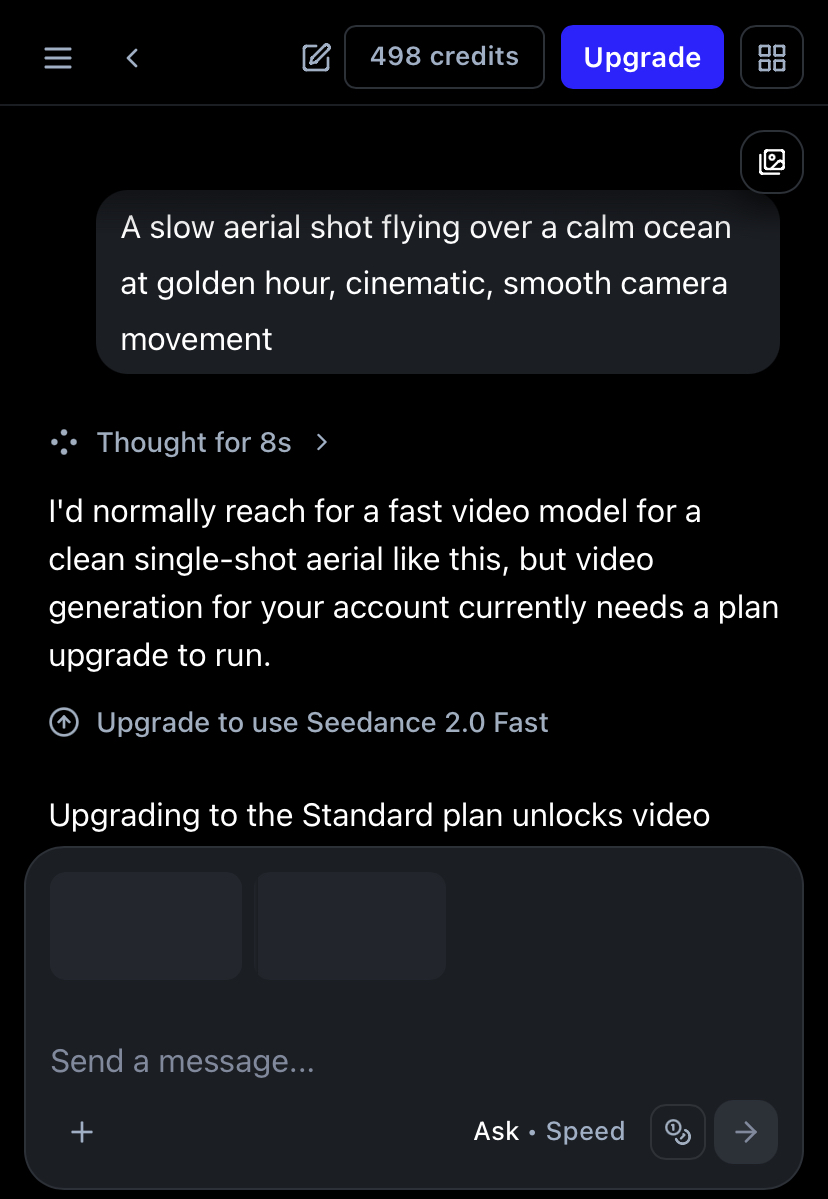
Pricing
Pricing model: Freemium
The platform is offered under a freemium pricing model, starting with a limited free tier that allows users to explore the interface and test a handful of generative and editing features before committing to a subscription. However, the free tier typically restricts credit allotments, output resolutions, and export configurations. Paid subscription plans are designed for professional editors and creative studios, offering higher-resolution exports, larger monthly credit allocations, access to advanced models, and team collaboration features. Because credit consumption can rise rapidly—and because credit costs, model access, and resolution caps are subject to change as new versions are released—users are advised to verify current details on the official website and to test short variations of their scenes before running high-resolution renders.
Plans and prices change often. Always confirm the current terms on the official Runway website.
Pros
- Unites generative AI modeling and multi-layered editing into a cohesive web-based workspace
- Provides a more feature-rich creative environment than basic text-to-video platforms
- Allows advanced creators to execute both generation and standard timeline editing concurrently
- Features a robust toolkit that handles complex compositing tasks alongside generation
- Includes non-generative utilities that add standalone value for traditional video editors
Cons
- Requires high ongoing financial investment for teams requiring constant high-volume output
- Exhibits typical generative video weaknesses such as imperfect temporal consistency and occasional visual artifacts in complex scenes
- Generates visual files with duration and quality caps that do not match traditional broadcast requirements
- Demands a greater initial workflow adaptation compared to basic prompt-and-run software
- Results can vary significantly between generation attempts, potentially leading to rapid credit consumption during testing
Our Take: Is Runway Worth Using in 2026?
Independent editorial analysis by AI Vision Hub, based on Runway's publicly available documentation and pricing information. This is our opinion, not a lab test — see how we evaluate AI tools.
Best for / Not for
This platform is ideal for video professionals, independent filmmakers, and studio marketing teams who want to incorporate AI-generated assets into established production pipelines. It is particularly effective for generating visual effects, creating b-roll, developing stylized transitions, and producing rapid pre-visualizations or storyboards for client pitches. However, it is not recommended for casual creators or beginners who want a quick, simple, and low-cost way to make occasional short clips. Users who prioritize extreme ease of use and a fast setup with minimal configuration would be better served by lighter platforms like Pika, which are quicker to learn. For projects that require the absolute highest levels of raw generative realism and temporal coherence, comparing this platform's visual outputs with Sora is advisable, while keeping in mind that there are significant differences in platform access and pricing structures.
Final verdict
Runway is a highly capable option for creators who want artificial intelligence assets woven directly into a practical editing environment rather than generated in isolation. Although it requires a greater initial time investment and can become quite expensive for heavy production, it rewards users with professional-grade flexibility and integrated post-production capabilities.
Alternatives to Runway


Related AI guides
Hands-on reading that puts Runway in context alongside similar tools.
Frequently asked questions
- Is Runway free?
- Runway offers a free tier with limits, plus paid plans for heavier use.
- What is Runway best used for?
- Generative video and creative tools.
- What are the best alternatives to Runway?
- Consider Descript, HeyGen, Kling, Sora. You can compare every option in the AI tools directory.
- How was this listing put together?
- Compiled by hand from Runway's public website and documentation . Information can change; check the provider's official site for the latest pricing and availability. It is not a paid placement — see our affiliate disclosure. Spotted something out of date? Tell us.
User reviews
No user reviews yet — we don't publish placeholder or generated ratings.