AI writing built into your workspace.
Notion AI brings generative writing, summarization, and Q&A into every Notion page.
Detailed overview
What it is
Notion AI is an embedded generative assistant operating directly within standard pages, notes, databases, and wikis. Rather than functioning as a standalone platform, it acts as an integrated productivity layer designed to enhance existing documents and corporate databases. This setup supports teams and individual knowledge workers by bringing writing help, document summarizing capabilities, and internal workspace search directly into the same interface where their projects and daily operations already live, eliminating the need to export files to third-party tools.
How it works
The assistant is accessed directly inside any active document through simple command menus or by highlighting specific blocks of text. Once prompted, it modifies existing content or drafts new entries in-line, adjusting its output based on instructions. Beyond performing basic page-level tasks, the assistant connects with the entire workspace database architecture. When a user asks a natural-language question, the system searches through scattered notes, wikis, and records to locate relevant facts and synthesize a direct answer. It operates by drawing context from these existing sources rather than working in isolation. As a result, the effectiveness of the search depends heavily on the volume of documentation already populated in the workspace and how well those files are organized.
Main features
- Translating shared documentation into multiple foreign languages directly within the active document to assist multilingual teams
- Generating concise summaries, quick overviews, and immediate action items from long project documents or raw meeting notes
- Drafting various common content formats such as business emails, project outlines, reports, and message drafts in-line
- Rephrasing, editing, shortening, and restructuring existing page text to match desired professional tones and formats
- Searching across connected databases and file structures to retrieve specific workspace facts without manual folder exploration
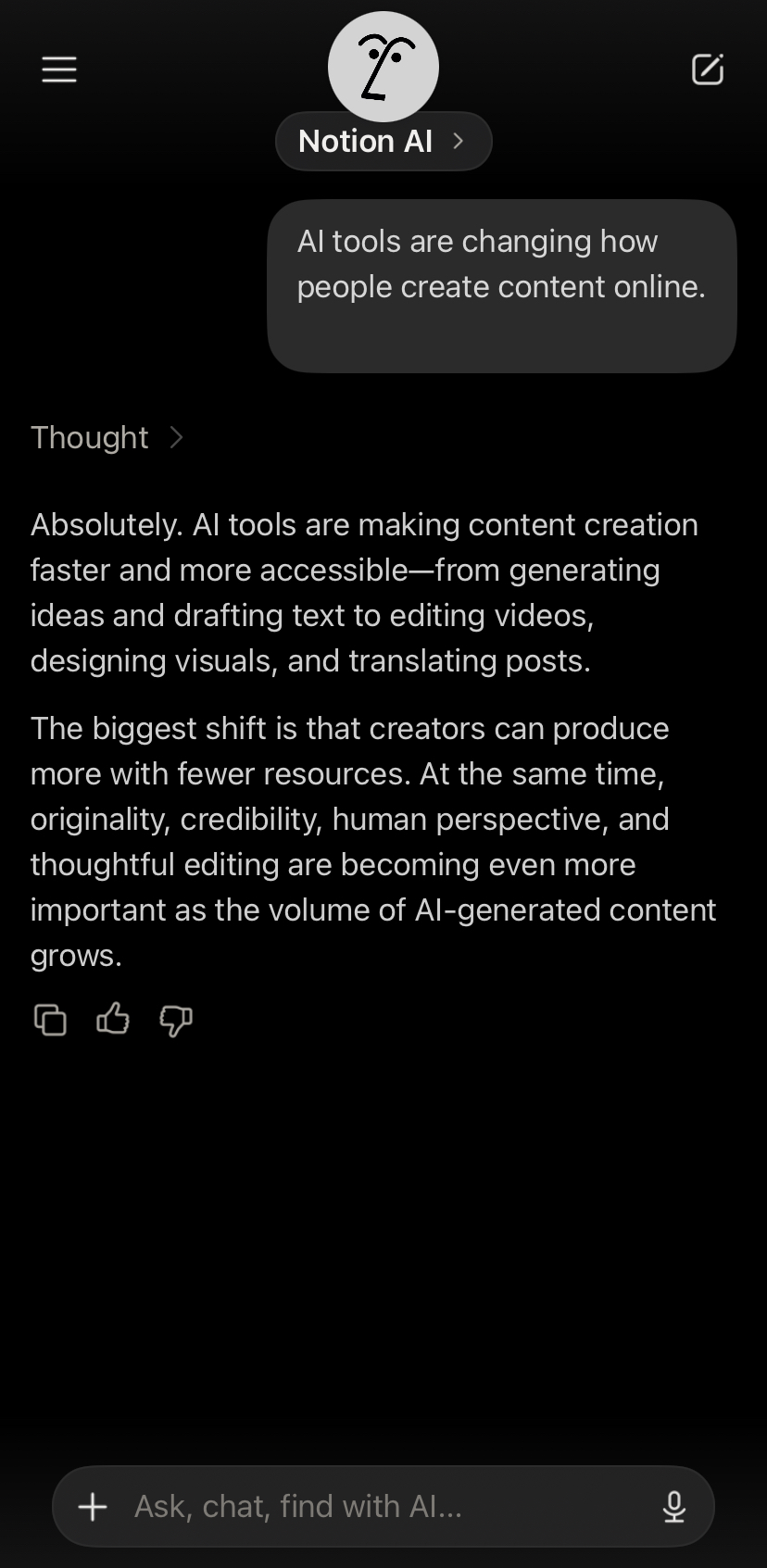
See it in action
Pricing
Pricing model: Paid
The AI features are structured as a paid add-on on top of standard core workspace plans and are billed per member rather than being included for free in standard subscription tiers. While the core workspace itself provides a free option, access to these generative capabilities is typically offered on a limited or trial-based free basis with restricted usage limits. Because the pricing structure, usage limits, and packaging have been adjusted over time, it is highly recommended to check the official pricing pages directly to review the latest rates, restrictions, and plan tiers before committing to an upgrade.
Plans and prices change often. Always confirm the current terms on the official Notion AI website.
Pros
- Eliminates the constant copying and pasting of text between external AI applications and your primary document editing pages
- Streamlines post-call tasks by rapidly condensing detailed meeting logs and identifying key action points immediately after a conference finishes
- Generates more relevant outputs by referencing your team's specific internal workspace history instead of relying on generic public data
- Offers a trial period with a limited allotment of prompts to evaluate overall quality on your actual files before paying
Cons
- Fails to provide accurate answers or useful context if the team's internal documentation is messy, outdated, or sparse
- Increases the total cost of ownership for organizations with large teams that already pay for standard base subscription tiers
- Struggles with highly complex writing, formatting, and logic tasks that require state-of-the-art third-party reasoning engines
- Provides no practical benefit or day-to-day utility to users who operate primarily within alternative project management systems
Our Take: Is Notion AI Worth Using in 2026?
Independent editorial analysis by AI Vision Hub, based on Notion AI's publicly available documentation and pricing information. This is our opinion, not a lab test — see how we evaluate AI tools.
Best for / Not for
This integrated tool is highly suited for organizations, knowledge workers, and individual power users who already utilize the base platform as their primary repository for notes, docs, and project tracking. It serves teams that maintain extensive internal documentation and need a faster way to search and synthesize shared resources without switching between separate software applications. Conversely, it is not recommended for organizations that do not run their operations on the base workspace platform, as the tool's core contextual value is completely lost. It is also unsuitable for teams requiring complex analytical processing, specialized project tracking features beyond basic documentation, or the absolute highest level of raw writing and reasoning capability, which are better served by top-tier standalone models.
Final verdict
The assistant acts as a highly convenient and context-aware productivity booster for teams with well-maintained workspaces, significantly reducing app-switching friction. However, because its output quality depends on your existing data organization and its analytical depth falls short of top specialized alternatives, it is best evaluated as a platform enhancement rather than a standalone AI replacement.
Alternatives to Notion AI




Related AI guides
Hands-on reading that puts Notion AI in context alongside similar tools.
Frequently asked questions
- Is Notion AI free?
- Notion AI is a paid product. Check the provider's site for current plans and any trial.
- What is Notion AI best used for?
- AI writing built into your workspace.
- What are the best alternatives to Notion AI?
- Consider Fireflies.ai, Gong, HubSpot Breeze, Motion. You can compare every option in the AI tools directory.
- How was this listing put together?
- Compiled by hand from Notion AI's public website and documentation . Information can change; check the provider's official site for the latest pricing and availability. It is not a paid placement — see our affiliate disclosure. Spotted something out of date? Tell us.
User reviews
No user reviews yet — we don't publish placeholder or generated ratings.